
The WhatsApp API on your own number.
Link the number you already use, then send from your own systems with a simple HTTP call. Replies arrive on your webhook as JSON, and you are never charged per message.
- Your number linked in under a minute
- Text, media, documents and buttons
- Replies on your webhook as JSON
- Annual plans from $30
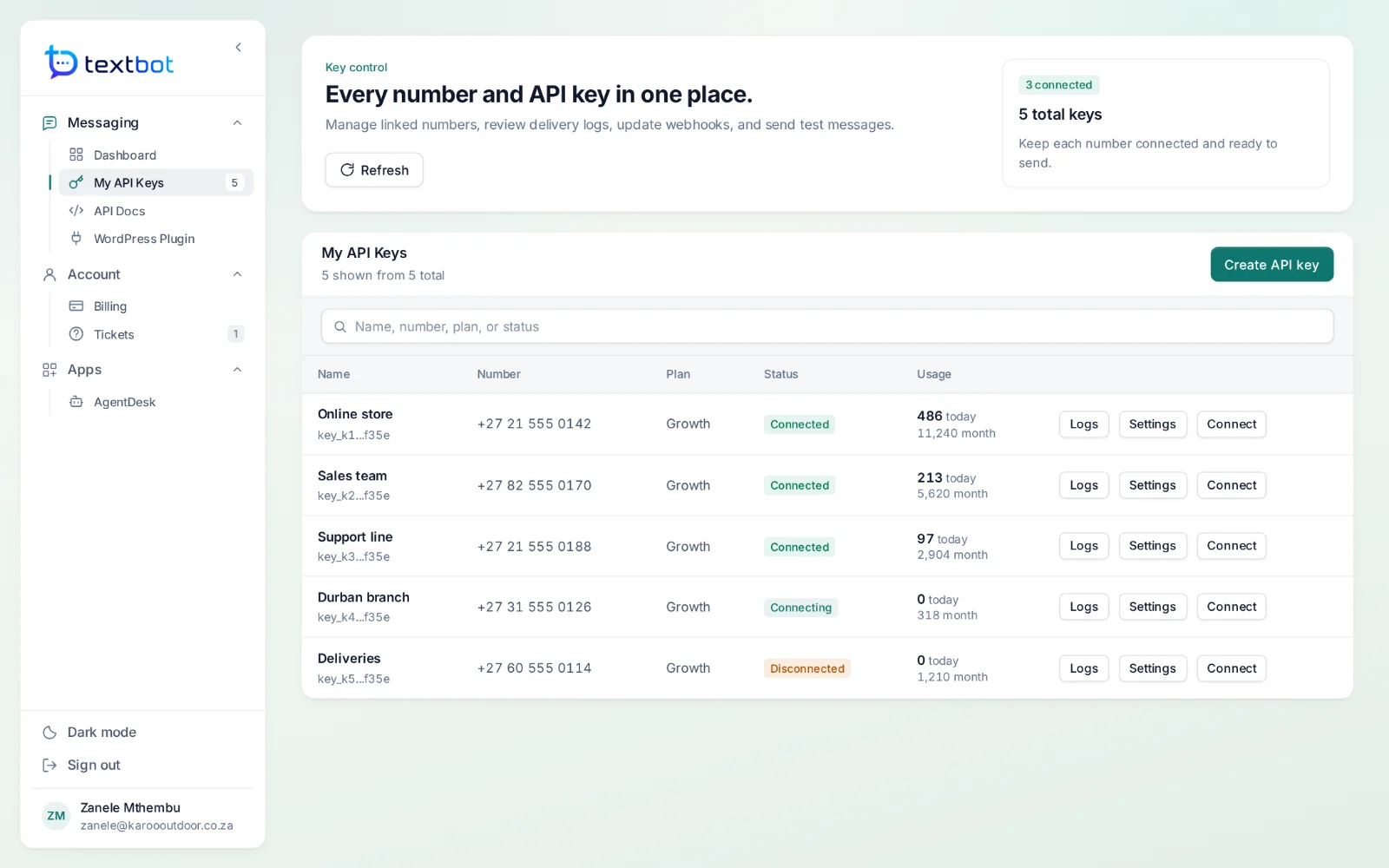
Live in four steps.
- Step 1
Connect your number
Scan the QR code in your portal, or ask for a pairing code if that suits you better. The session stays linked and reconnects on its own.
- Step 2
Send your first message
A single GET with the number, your key and the text. Switch to POST with JSON for files, documents and buttons.
- Step 3
Receive replies
Point your key at your endpoint and every inbound message, button tap and file arrives as JSON. Group chats are optional.
- Step 4
Stay in control
See what was sent, what failed and why, how much each key has sent, and when each key expires.
Anything that speaks HTTP can send.
A shop, an invoicing system, a booking tool, a cron job or a no-code automation — if it can call a URL, it can send a WhatsApp message from your number. Add &json=yes and the answer comes back as JSON.
- One GET request for a text
- POST JSON for images, documents and buttons
- The original send.php, status.php and webhook.php paths still work
GET https://api.textbot.cc/send.php
    ?recipient=27825550199
    &apikey=YOUR_KEY
    &text=Your+order+has+shipped
    &json=yes

{ "status": "success", "comment": "Message sent" }
Built for handing out.
Every key is its own WhatsApp session — so a client, a branch or a workflow can have its own key and never touch another’s.
A key per number
Each key links one number, with its own webhook, message log and usage today, this month and in total.
An expiry date
Each key carries its plan’s expiry date. You get an email before it stops working, not after.
Webhook control
Send inbound traffic wherever you like, skip group chats, and mark messages as read automatically.
Full message history
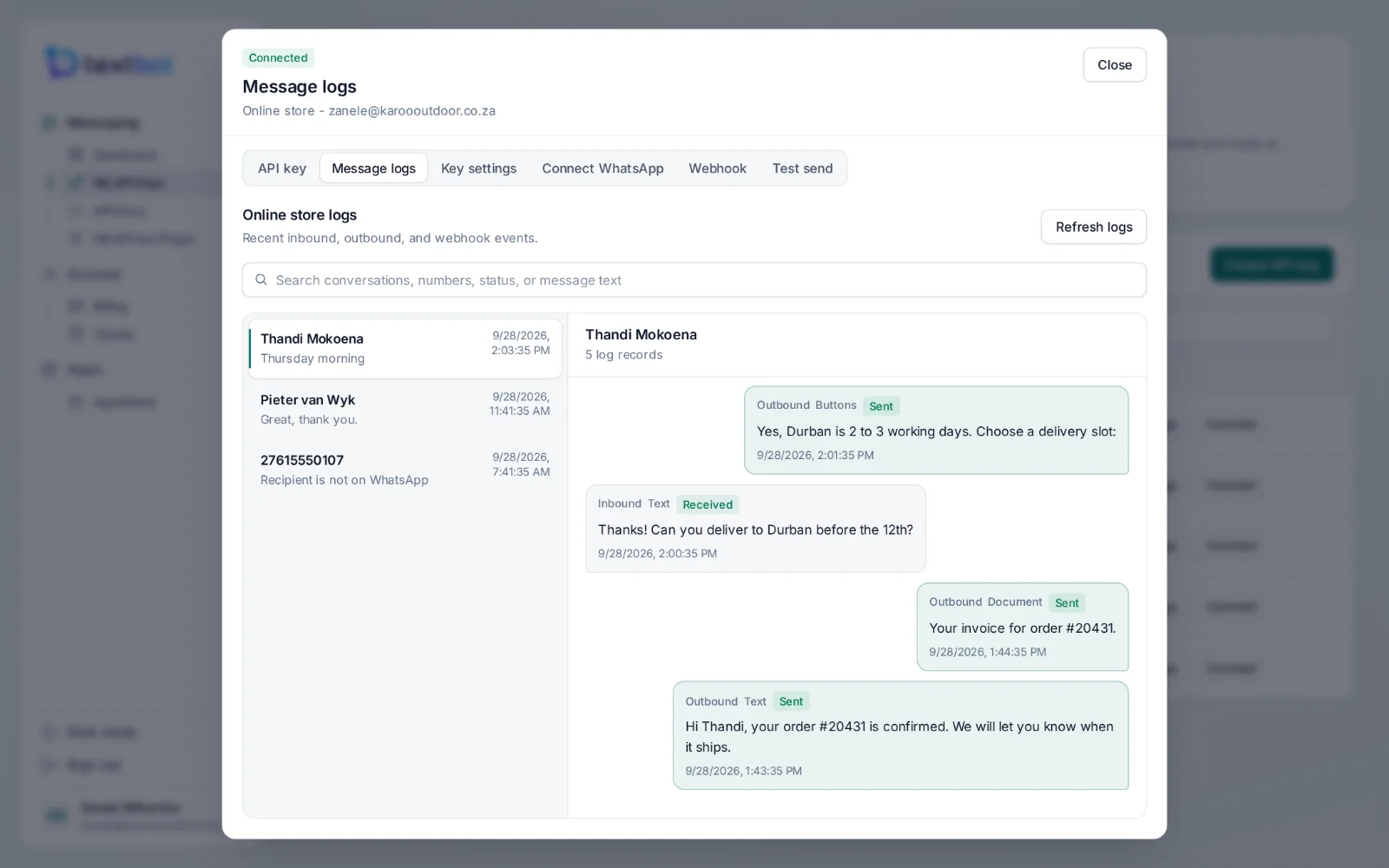
Every send and reply, threaded by number and searchable, with the exact reason beside every failure.
Support that answers
Raise a ticket inside your account and follow the reply against it.
Your scripts keep working
send.php, status.php, addphone.php and webhook.php are still supported, unchanged.
See what was sent, and why something was not.
Every message on a key, threaded by the number it went to or came from. Documents and button replies sit in the thread with the text, and anything that failed says why — “Recipient is not on WhatsApp”, not a mystery.
Questions, answered.
Do I use my own WhatsApp number?
Yes. You link the number you already use by scanning a QR code in your portal, or with a pairing code. Messages go out from your number and replies come back to you — you are never renting a sender.
Are there per-message fees?
No. Plans are paid once a year and there is no charge per message, so a busy month costs the same as a quiet one.
How do I send a message?
With one HTTP call. A GET request to send.php with the number, your API key and the text sends a message; a POST with JSON to /api/send adds images, documents and reply buttons.
How do replies reach my system?
Give your key a webhook address. Every inbound message, button tap and file is posted to it as JSON. Group chats can be skipped, and messages can be marked as read automatically.
Will my existing send.php scripts keep working?
Yes. The original send.php, status.php, addphone.php and webhook.php paths are still supported, so scripts written for them run unchanged.
The API in detail
Your number. Your API.
Connect your WhatsApp number in under a minute. Annual plans, with no per-message fees.