
The TextBot API.
Four endpoints cover almost everything: send a text, send media, send buttons and receive replies. Add &json=yes to any GET request for a JSON response instead of HTML.
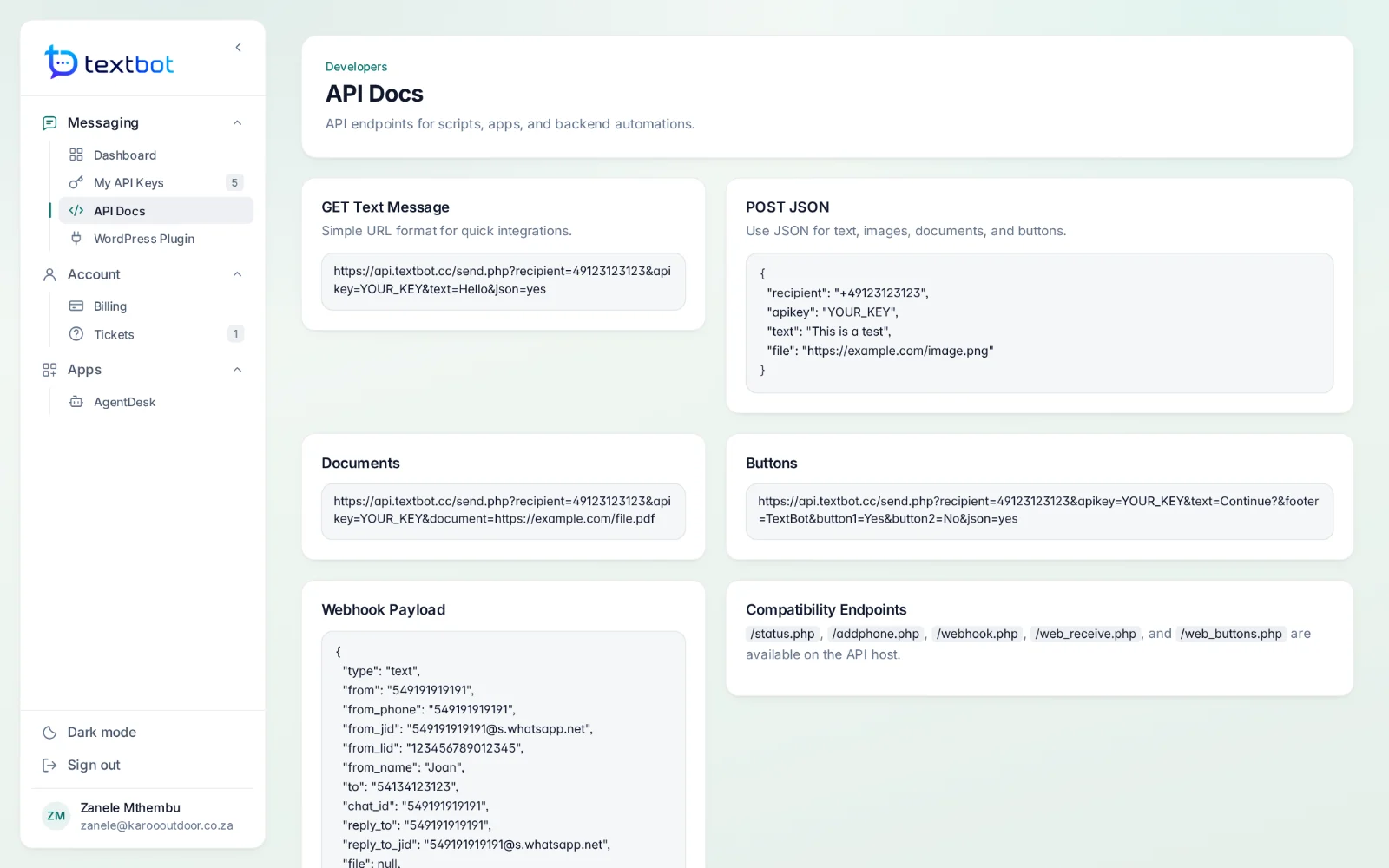
Endpoints.
Requests go to https://api.textbot.cc. Numbers are written in international format, with or without the plus sign.
GETSend a text
The number, your key and the text.
/send.php?recipient=27825550199
         &apikey=YOUR_KEY
&text=Hello&json=yesPOSTSend media
JSON with a link to the image or file.
/api/send

{
  "recipient": "+27825550199",
  "apikey": "YOUR_KEY",
  "text": "See attached",
  "file": "https://example.com/image.png"
}GETSend buttons
Reply buttons; the tap arrives on your webhook.
/send.php?recipient=27825550199
         &apikey=YOUR_KEY
         &text=Continue?
&button1=Yes&button2=NoHOOKReceive replies
Posted to the webhook address on your key.
{
  "type": "text",
  "from": "27825550199",
  "from_name": "Thandi",
  "message": "Thanks, paid it now.",
  "file": null
}
Existing scripts keep running.
The original send.php, status.php, addphone.php and webhook.php paths are still supported, with web_receive.php and web_buttons.php on the API host — so scripts written for them run unchanged.
Questions, answered.
How do I send a message?
With one HTTP call. A GET request to send.php with the number, your API key and the text sends a message; a POST with JSON to /api/send adds images, documents and reply buttons.
How do replies reach my system?
Give your key a webhook address. Every inbound message, button tap and file is posted to it as JSON. Group chats can be skipped, and messages can be marked as read automatically.
Can I give a client their own key?
Yes. Every plan comes with a number of keys — one, five or twenty — and each key is its own WhatsApp session with its own number, webhook, message log, usage and expiry date. Limits live on the key, not the account, so one key can never spend another client’s quota.
Will my existing send.php scripts keep working?
Yes. The original send.php, status.php, addphone.php and webhook.php paths are still supported, so scripts written for them run unchanged.
Works with
Your number. Your API.
Connect your WhatsApp number in under a minute. Annual plans, with no per-message fees.