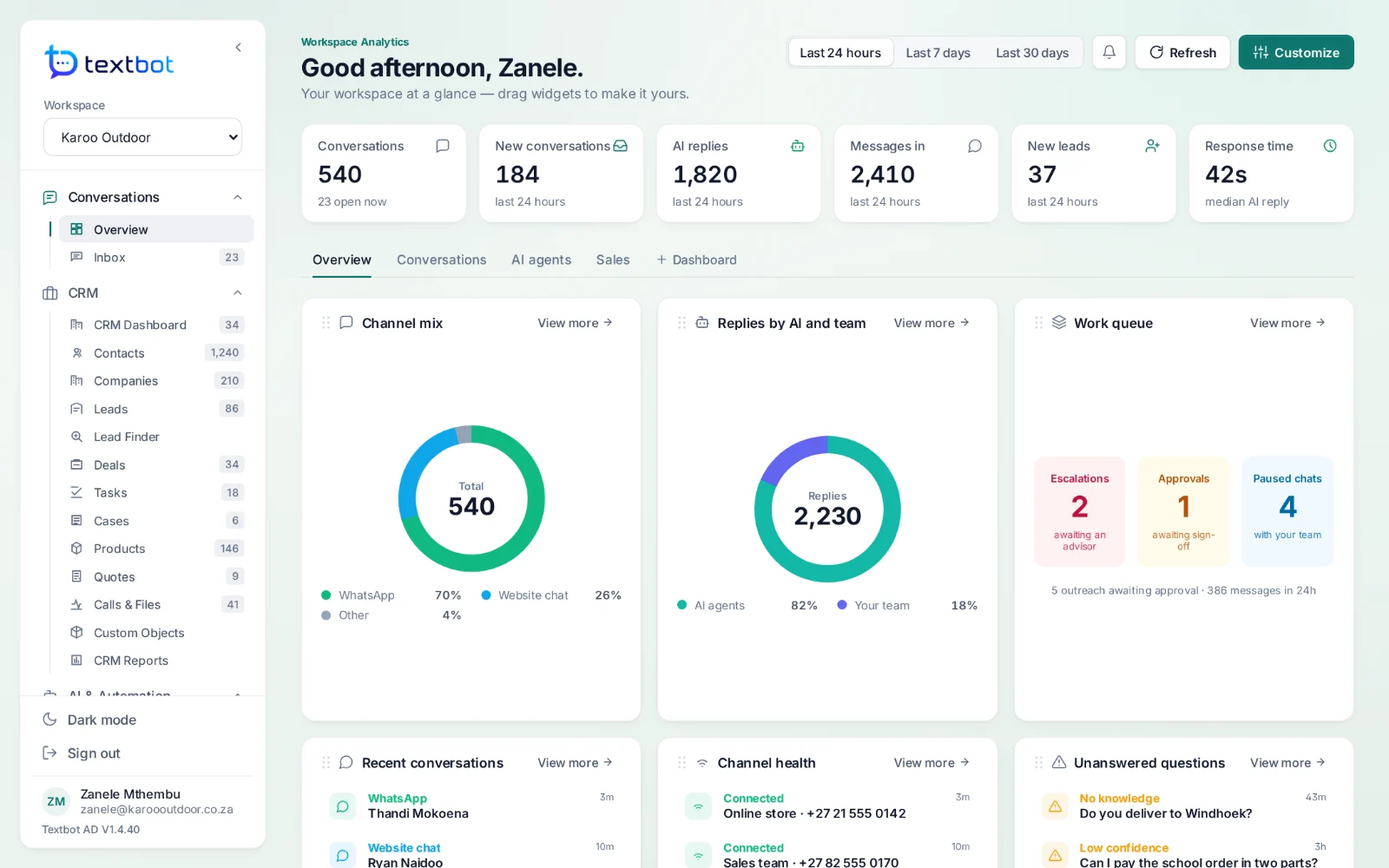
One shared inbox for WhatsApp, website chat and email.
AgentDesk sits on top of the numbers you already run through TextBot. Your team answers WhatsApp, website chat and email from one inbox, with a complete CRM behind every conversation and AI agents that answer from your own documents.
- All 33 features in every plan
- One login, shared with TextBot
- AI on Ollama inside AgentDesk, or your own
- From $250 a year
Everything included.
All 33 features, in six areas. There is no higher tier, and nothing is held back.
Conversations
- Workspace dashboard
- Shared inbox
CRM
- CRM dashboard
- Contacts
- Companies
- Leads
- Lead finder
- Deals and pipelines
- Tasks
- Cases
- Products
- Quotes
- Calls and files
- Custom objects
- CRM reports
AI and automation
- AI agents
- Knowledge bases
- Workflows
- Snippets
Channels and growth
- Channels
- Website widgets
- Message templates
- Broadcasts
Operations
- System health
- Analytics
- Lifecycle
- Teams
- Approval queue
- Reports
Workspace
- Users and roles
- Business settings
- Integrations
- Audit logs
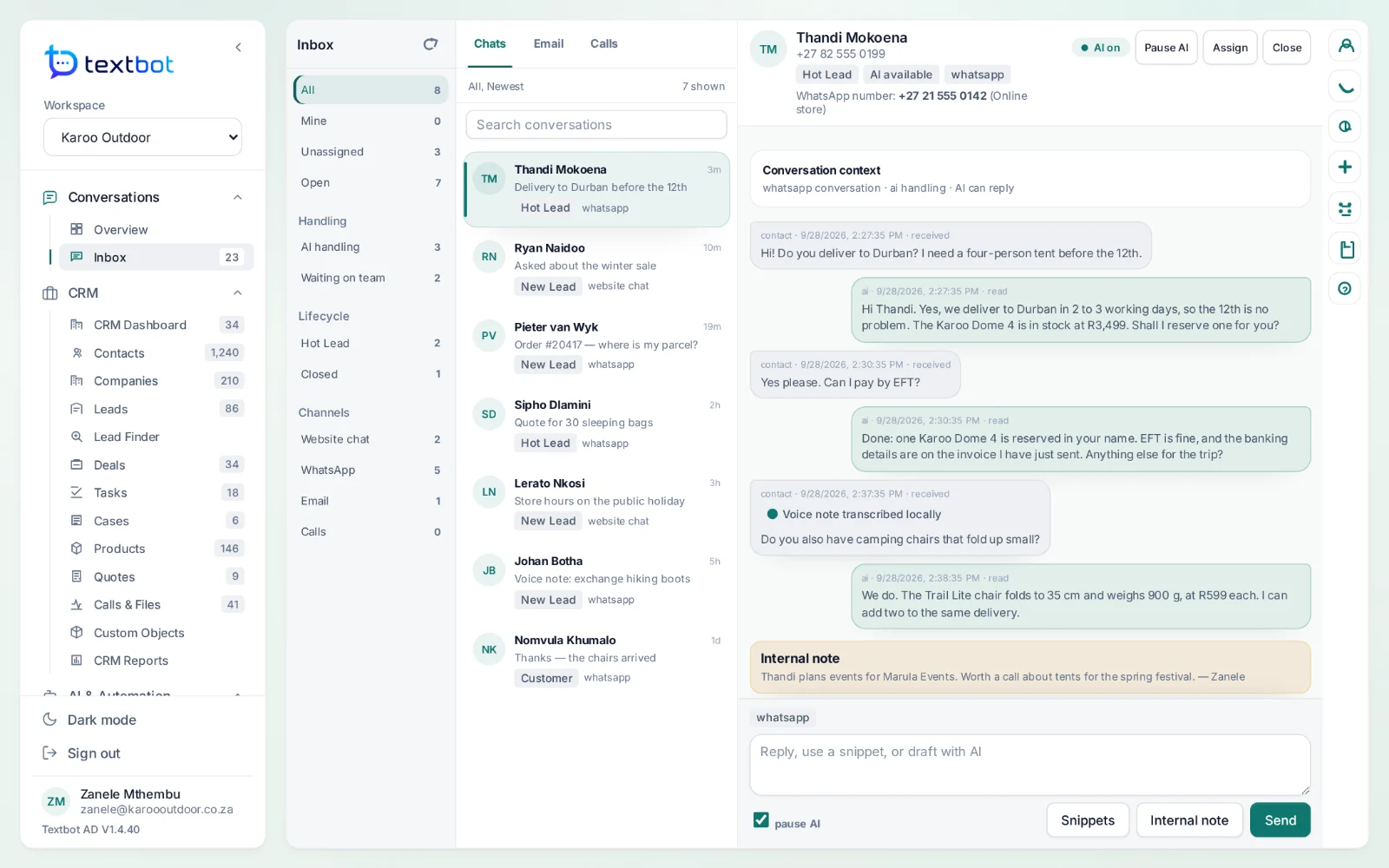
Shared inbox
Every channel, one queue.
WhatsApp, website chat and email arrive in one list, filtered by channel, status or owner. Assign a conversation, leave a private note, or pause the AI and answer yourself.
- AI handling, waiting on the team, or closed — at a glance
- Voice notes transcribed before anyone reads them
- Snippets with shortcuts for the answers you give every day
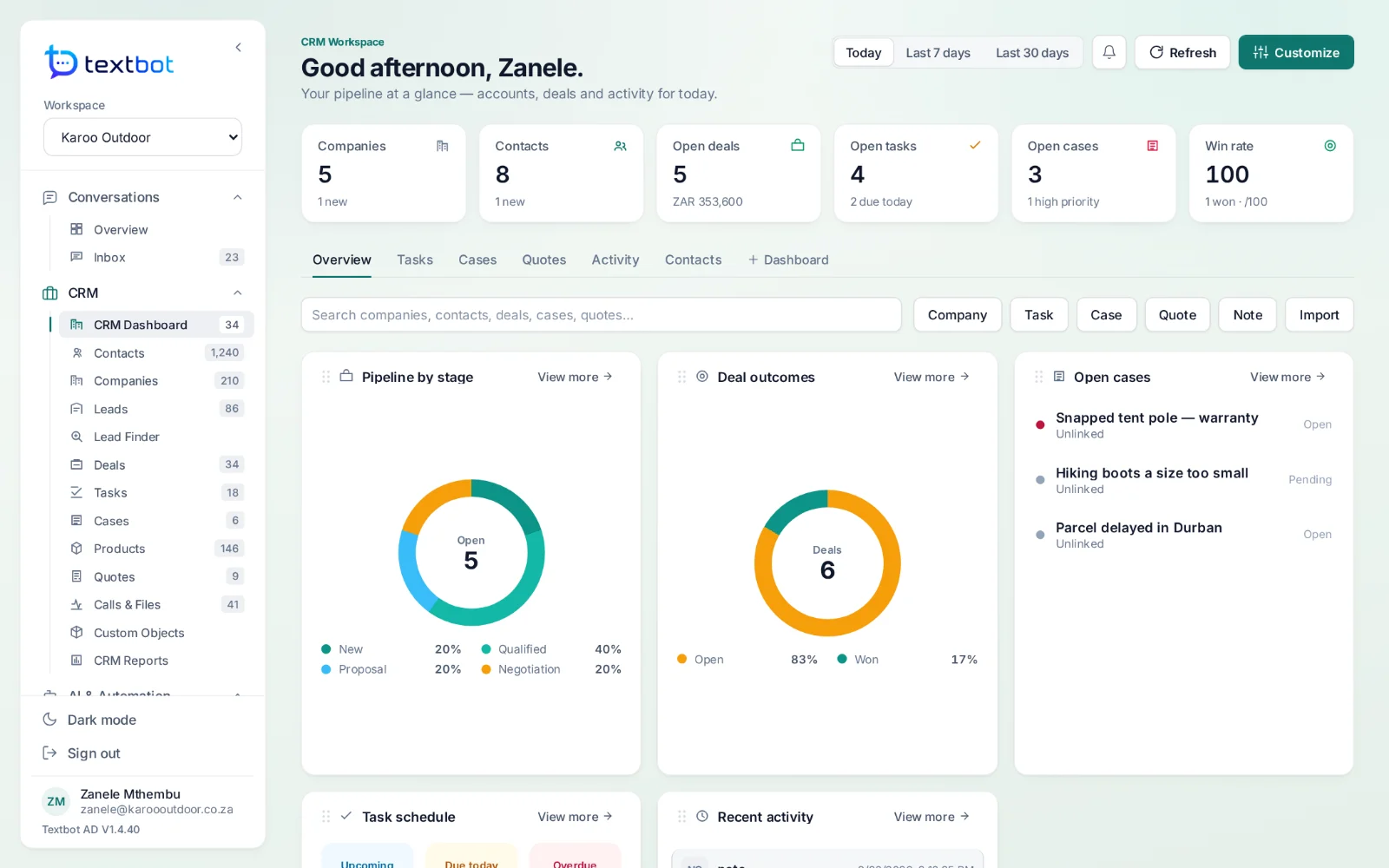
CRM
The customer, behind every chat.
Contacts, companies, leads and deals across pipelines you define, with products, quotes, tasks and cases on the same record — and the conversation that started it all.
How it works together
TextBot moves the messages. AgentDesk is where you answer them.
- Step 1
TextBot
Your number stays linked and online, handling every message in and out.
- Step 2
Webhook
Inbound messages are posted straight to AgentDesk as JSON — AgentDesk registers the webhook for you.
- Step 3
AgentDesk
The conversation lands in the inbox, an AI agent drafts or answers, and the CRM records it.
- Step 4
One login
You sign in to AgentDesk from your TextBot account. No second password.
Add AgentDesk to any plan.
$250 with 1 API key, $450 with 5 API keys, $1,500 with 20 API keys. Every plan includes all 33 features and the TextBot API.
Questions, answered.
What is AgentDesk?
The workspace your team answers from. It puts WhatsApp, website chat and email in one shared inbox, keeps a CRM behind every conversation, and runs AI agents that answer from your own documents. It uses the numbers you already run through TextBot.
Do I need a second account for AgentDesk?
No. AgentDesk runs at agentdesk.textbot.cc and signs you in from your TextBot account — one login, no second password.
Which AI can the agents use?
Ollama running inside AgentDesk, Ollama Cloud or OpenAI — or an agent you already built in Dify, Flowise, Langflow, Botpress, Rasa, Dialogflow CX, Microsoft Copilot Studio, Voiceflow or n8n.
Can AgentDesk read voice notes?
Yes. WhatsApp voice notes that arrive through TextBot are transcribed on the AgentDesk server before they reach an agent, so the AI and your team read them as text.
AgentDesk in detail
Answer every conversation.
AgentDesk runs on the numbers you already have in TextBot, and signs you in with the same account.