
WhatsApp for your business, on your own number.
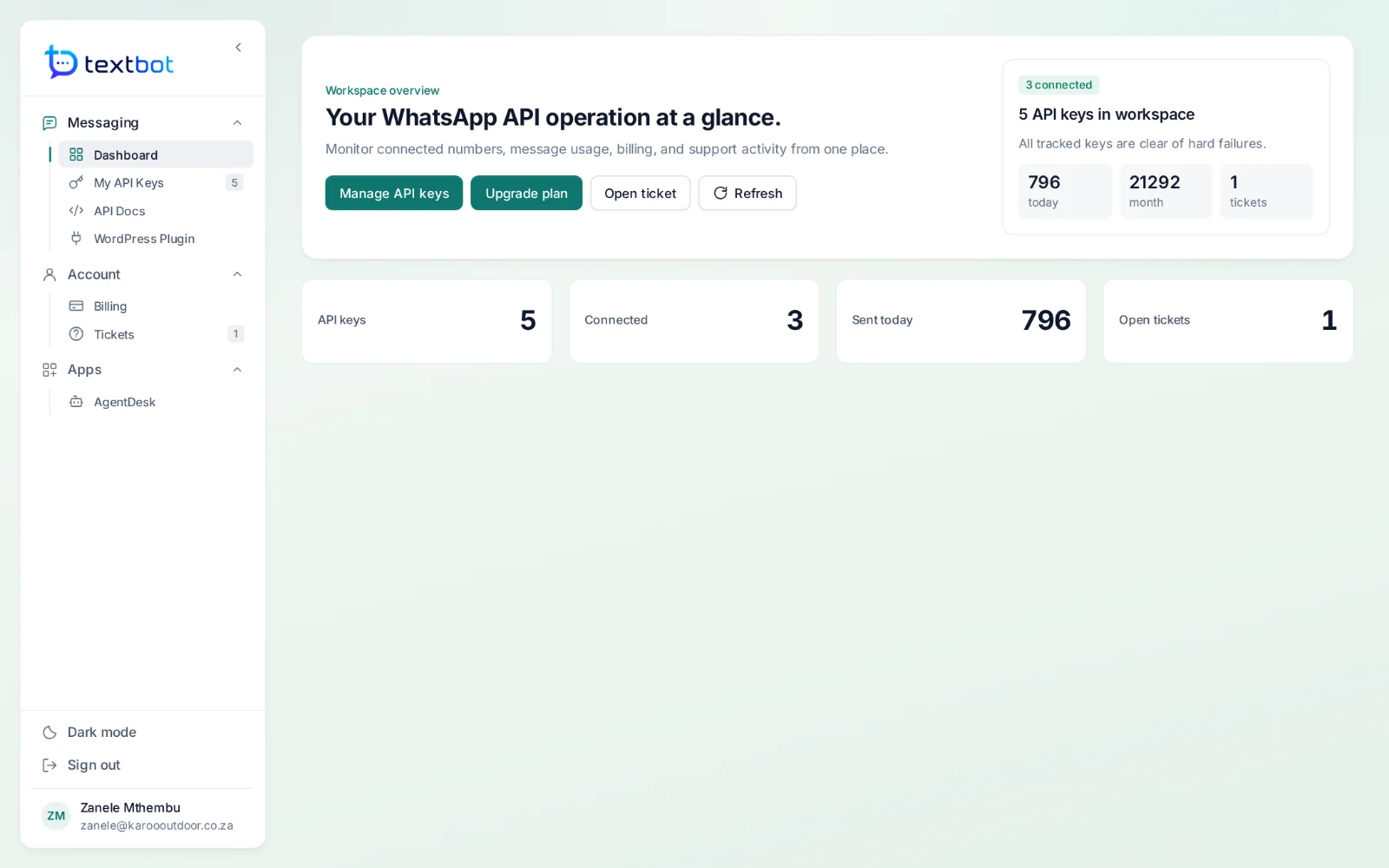
TextBot connects your WhatsApp number to your own systems: messages go out over a simple HTTP call and replies come back to your webhook as JSON. AgentDesk puts every conversation in one inbox for your team, with a CRM behind it and AI agents that answer from your own documents.
Annual plans from $30 · no per-message fees · your number linked in under a minute
Two products, one account.
Start with the API. Add the inbox when your team needs it — both run on the same numbers and the same login.
Your own number
Scan a QR code and your number is linked. Messages go out from you, not from a rented sender.
One HTTP call
A GET request sends a text. JSON adds images, documents and reply buttons.
Replies as JSON
Every reply, button tap and file, posted to your endpoint the moment it arrives.
A key per number
Each key has its own number, webhook, log and expiry date, so clients never share one.
One shared inbox
WhatsApp, website chat and email in one queue for the whole team.
AI agents
Answers from your own documents, with a person one click away.
A CRM behind every chat
Contacts, deals, quotes and cases, with the conversation on the record.
WordPress and WooCommerce
Order updates, cart reminders and bookings on WhatsApp, without code.
TextBot API
Send from your own systems.
Link your number once, then send from anything that can make an HTTP request: your shop, your billing system, a script or a no-code tool. A single GET sends a text; JSON adds files, documents and buttons.
- No per-message fees, ever
- Text, images, documents and reply buttons
- Every reply back on your webhook as JSON
- The original send.php paths still work
API keys
Keys you can hand out.
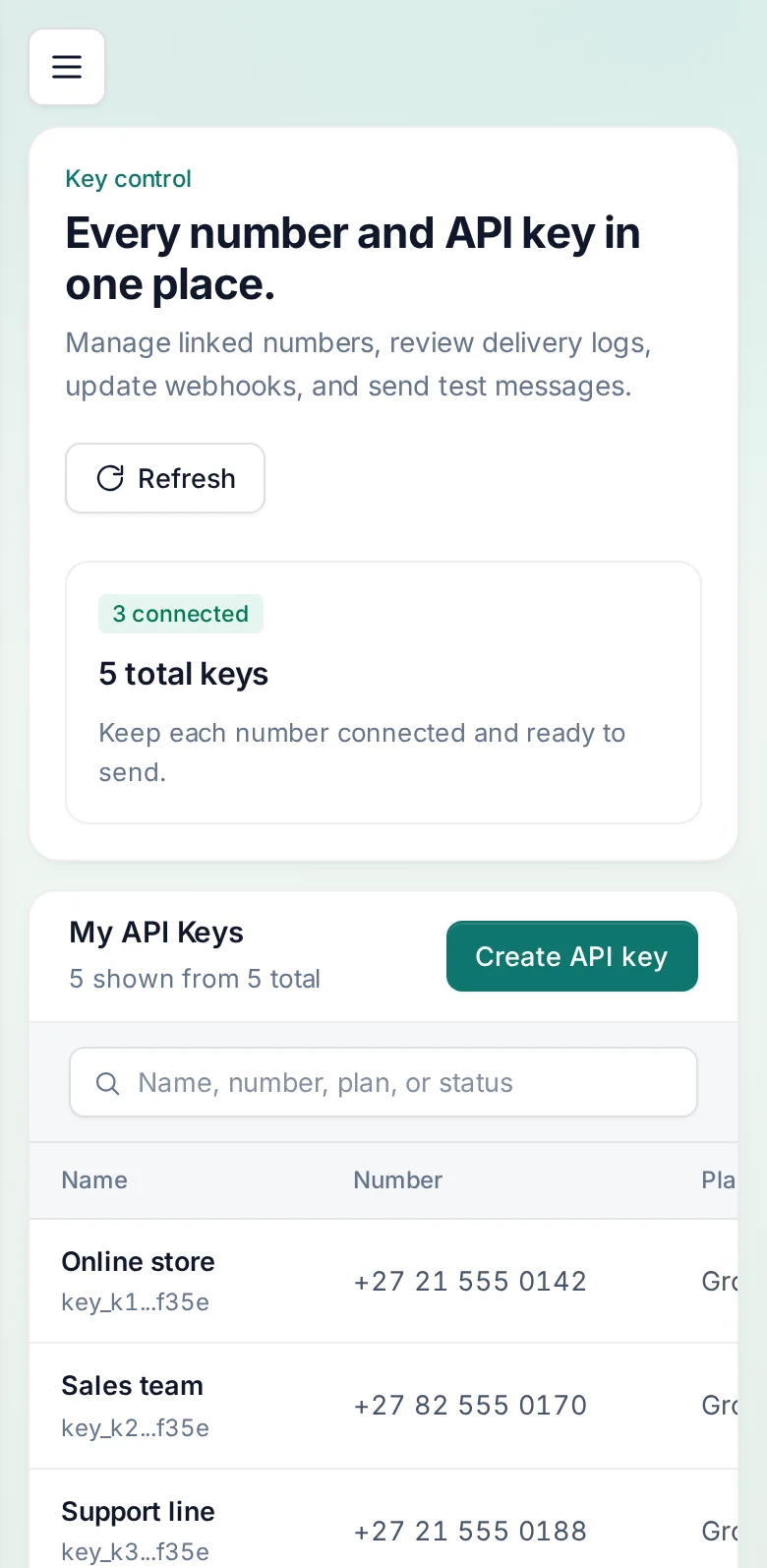
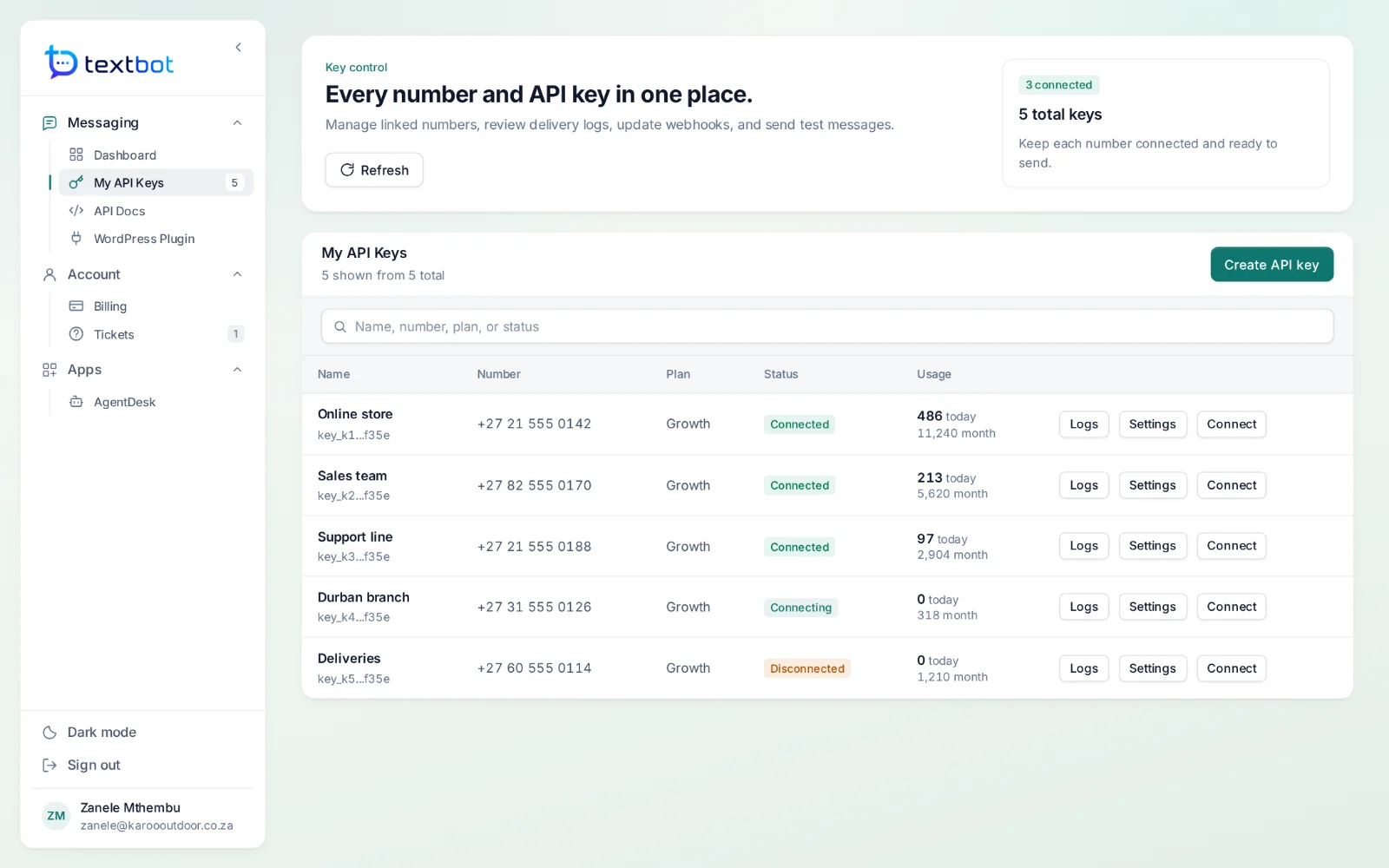
Every key is its own WhatsApp session. Give each client, branch or workflow its own key, and each keeps its own number, replies and history — nobody reaches another’s customers.
- Its own number and webhook
- Its own message log and usage
- An expiry date, with an email before it
- Unlimited messages and recipients
AgentDesk
Every conversation, one inbox.
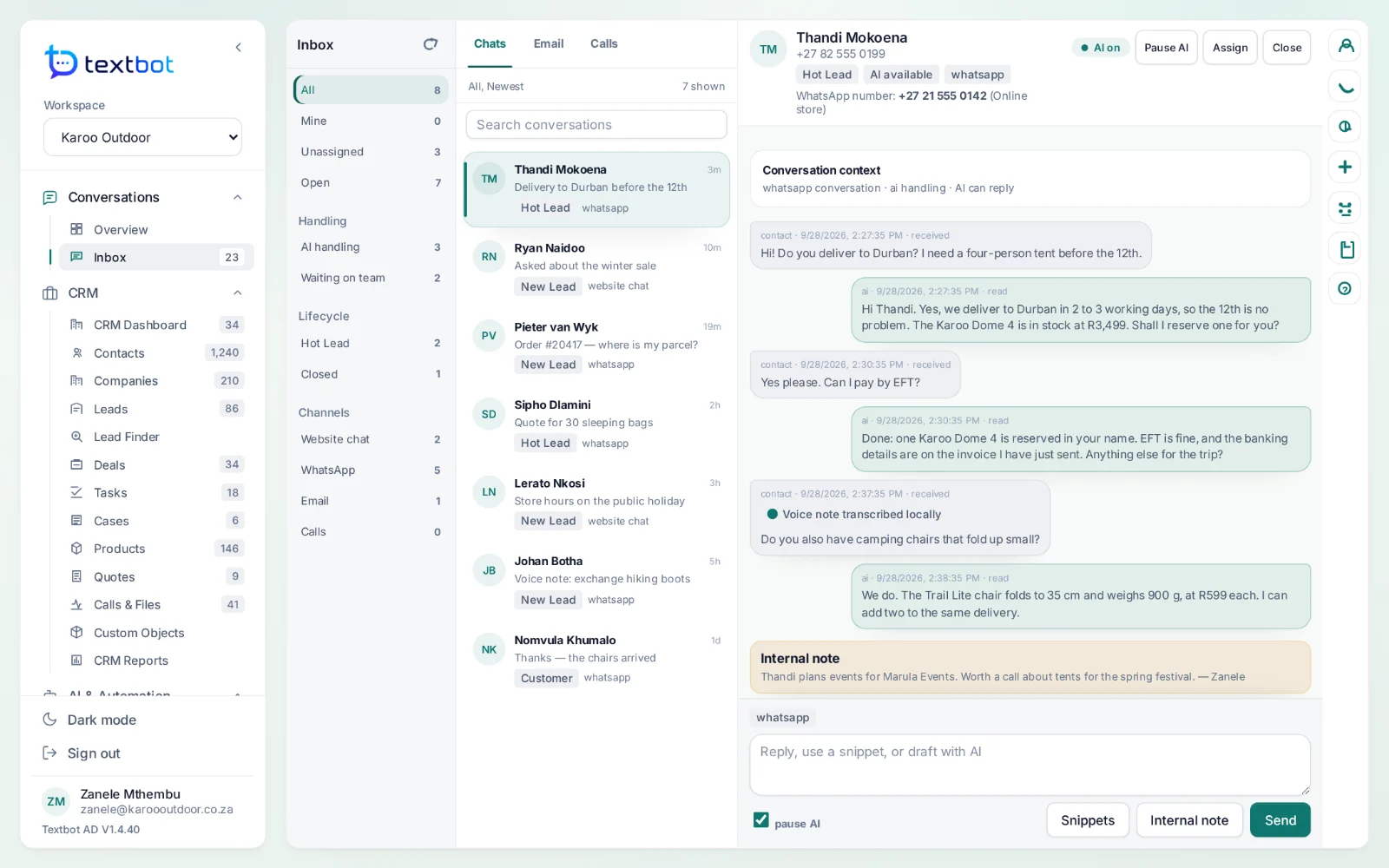
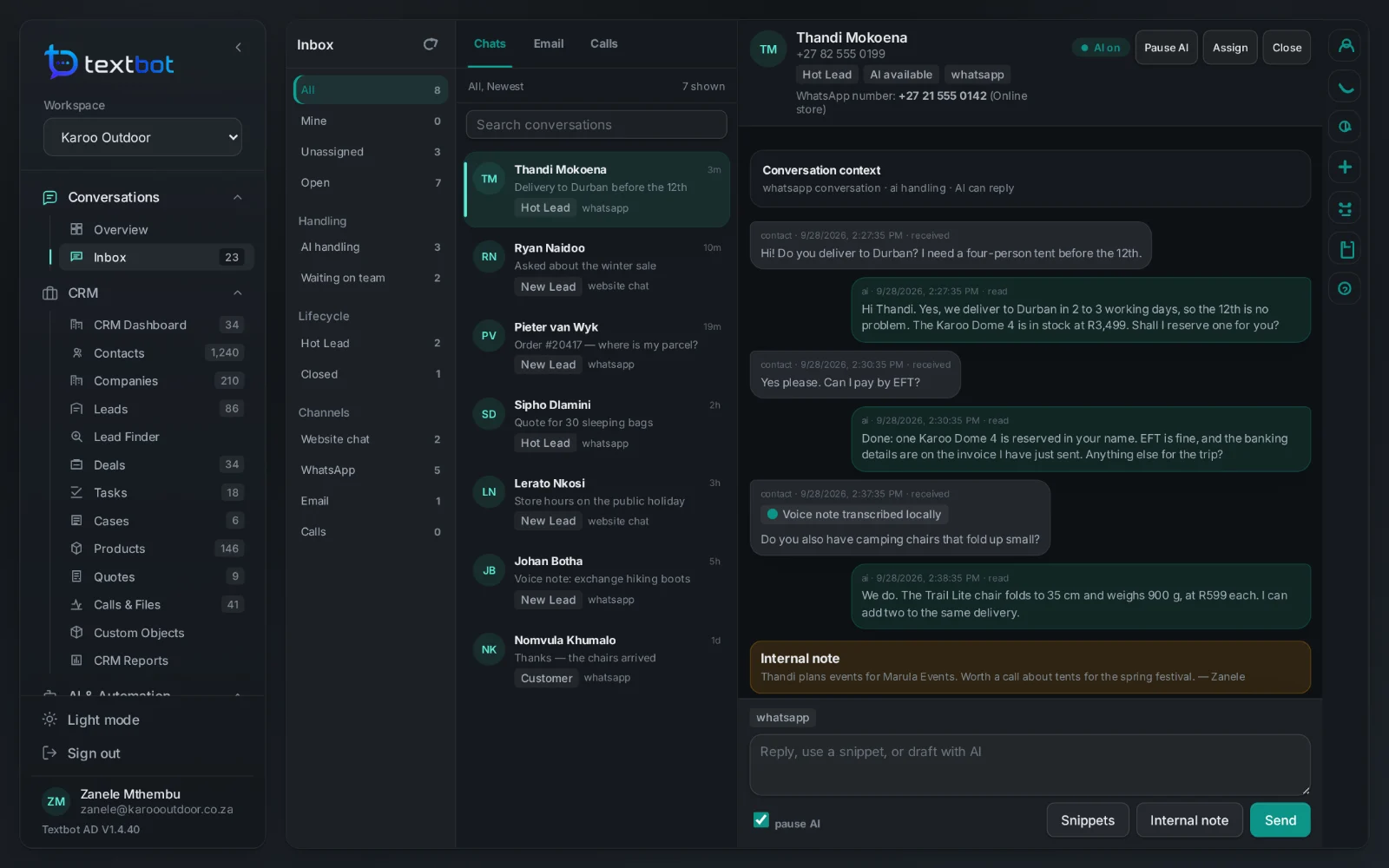
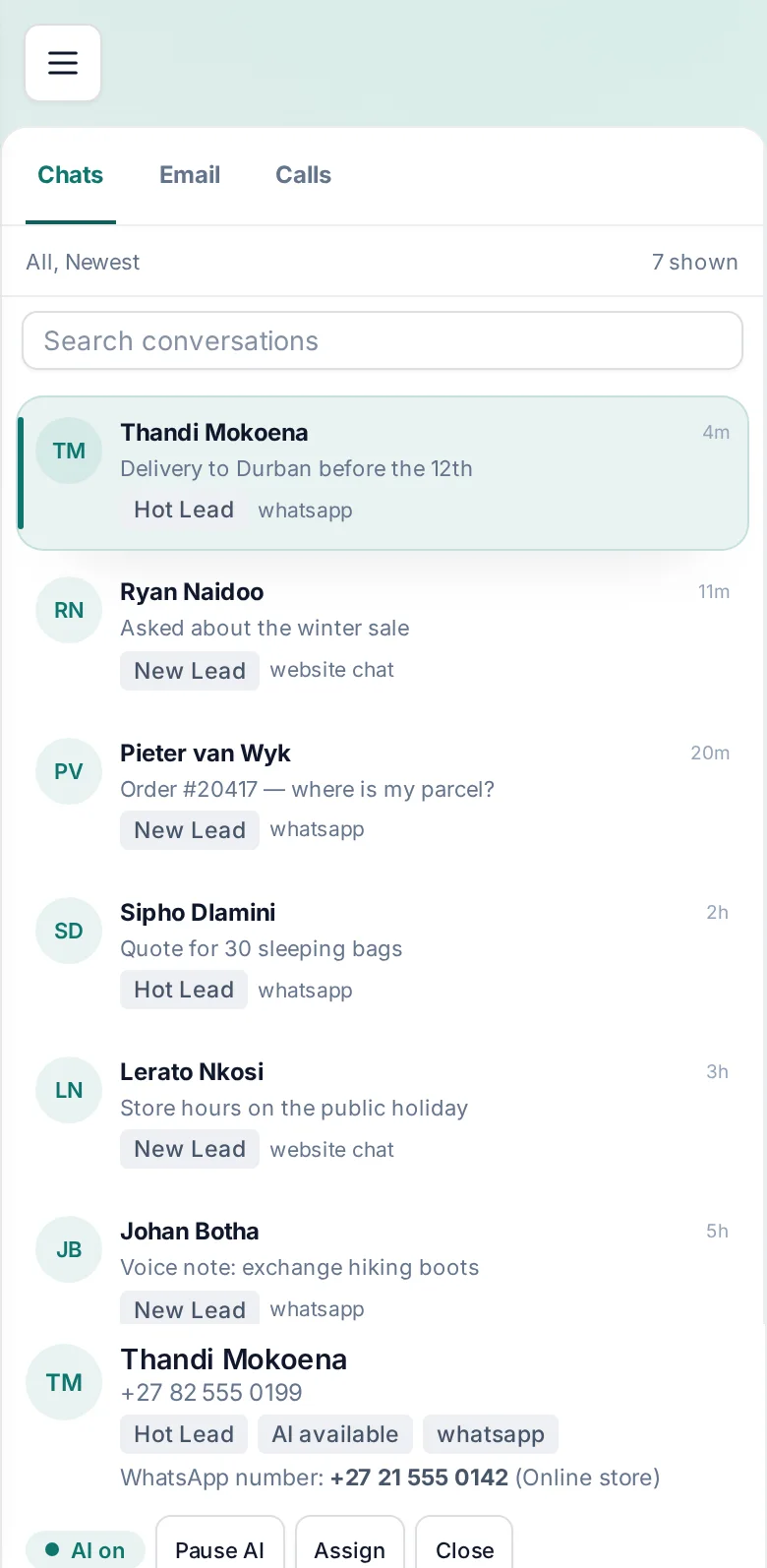
WhatsApp, website chat and email land in one shared queue. AI agents answer first, from your own documents; your team takes over whenever it wants, with the whole customer record beside the chat.
Assign and note
Hand a conversation to a colleague or a team, and leave notes only your team can see.
Take over in one click
Pause the AI on any conversation and answer yourself. Resume it when you are done.
Voice notes as text
WhatsApp voice notes are transcribed on the AgentDesk server before anyone reads them.
The customer beside the chat
Contact details, deals, quotes and cases from the CRM, next to the conversation.
AI agents
Answers from your own documents.
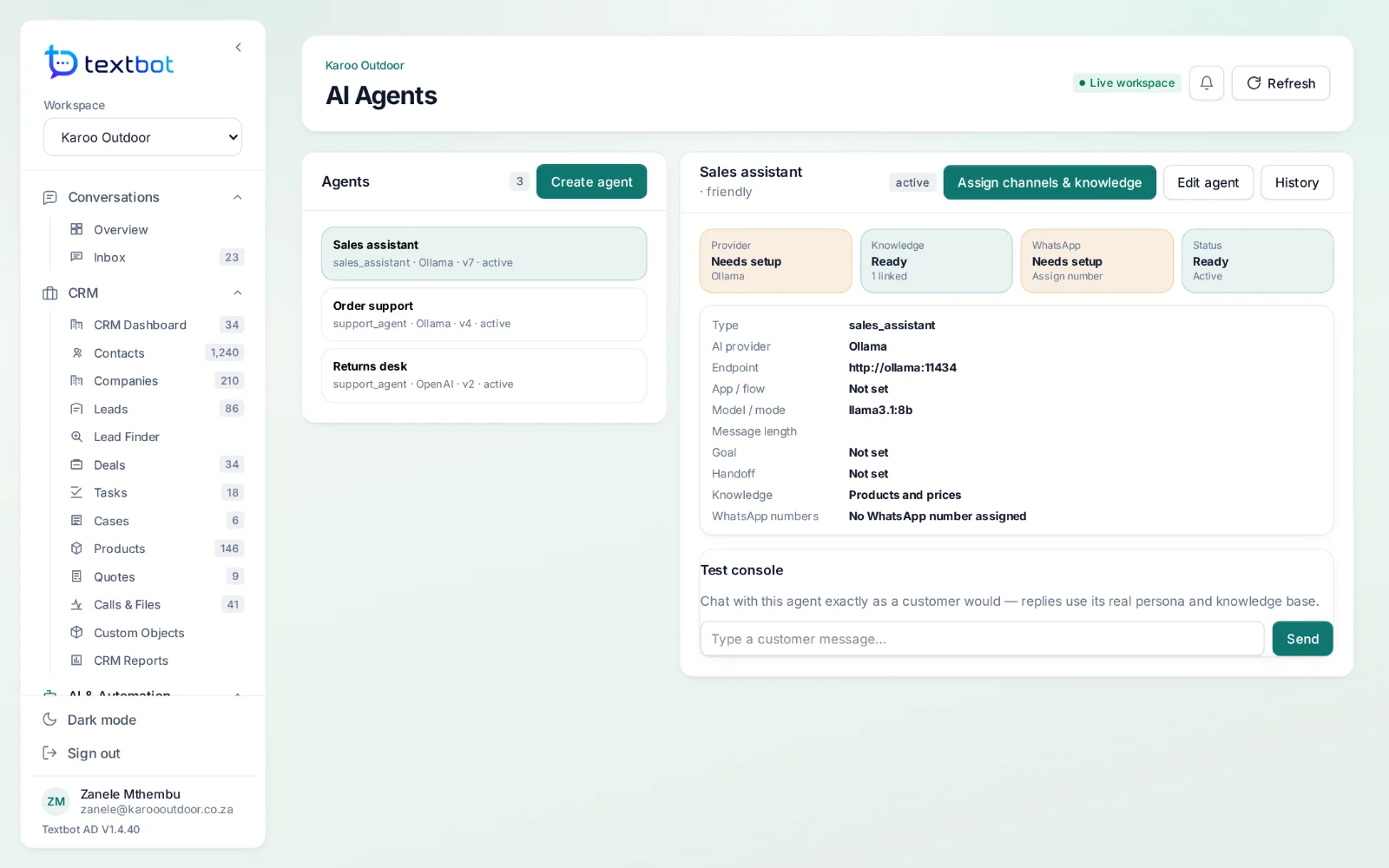
Build an agent, give it your price lists, policies and answers, and try it in the test console before a customer ever sees it. It replies on WhatsApp and website chat, and hands over to a person when it should.
- Runs on Ollama inside AgentDesk, or the AI service you choose
- Knowledge bases scoped to each agent
- Every change kept as a version
- Questions it could not answer, listed for you to fill in
Everything in both products.
Every feature has a page of its own — what it does, what your team and your customers see, and how it fits with the rest.
TextBot
AgentDesk
WordPress
WooCommerce on WhatsApp, without code.
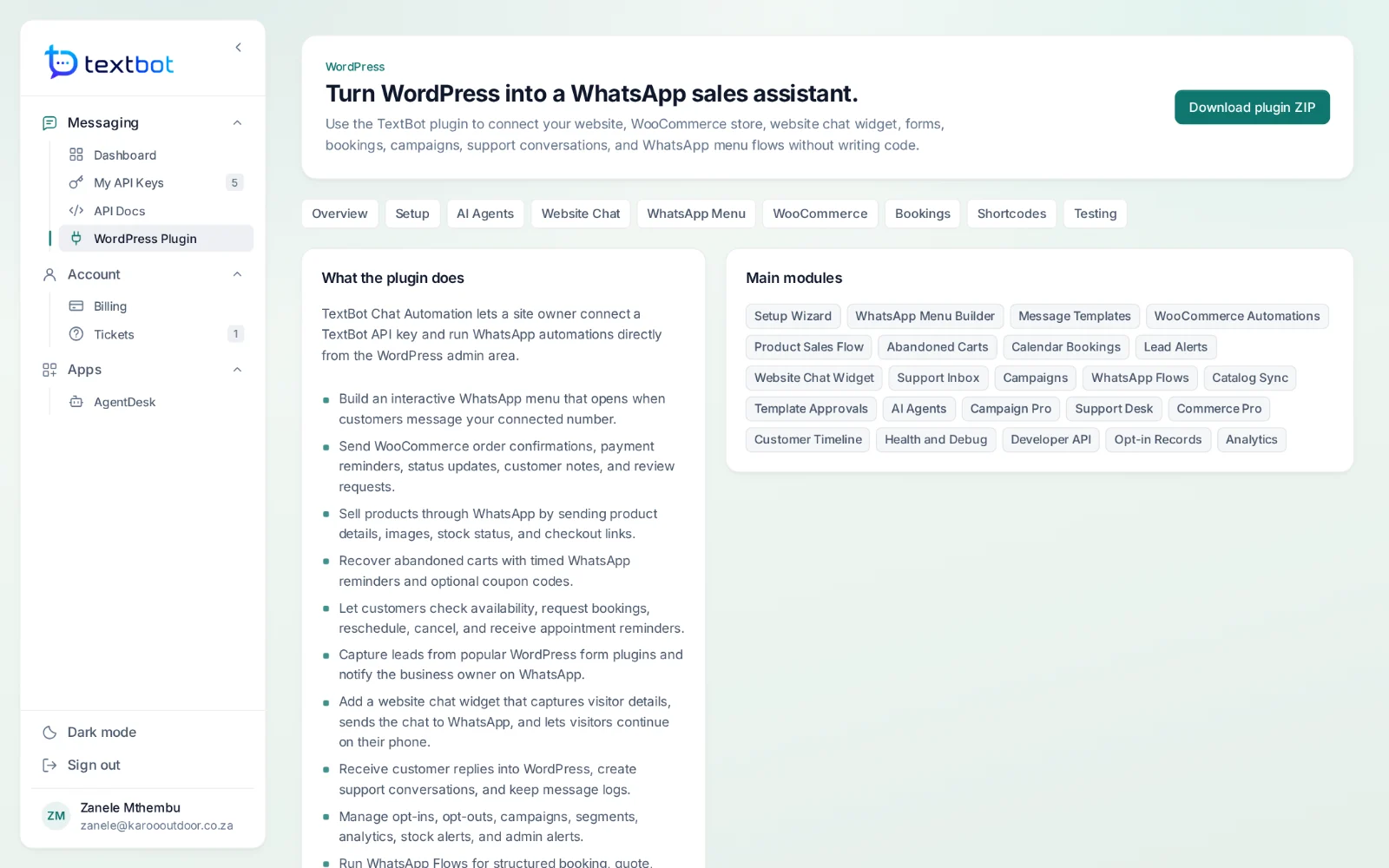
The TextBot plugin connects WordPress and WooCommerce to your number from the WordPress admin: order updates, abandoned-cart reminders, bookings, lead forms, a WhatsApp menu and a website chat widget.
- Order confirmations, updates and review requests
- Abandoned-cart reminders, with optional coupons
- Bookings and leads from Contact Form 7, WPForms and Gravity Forms
- A chat widget that continues on WhatsApp
Live in four steps.
- Step 1
Choose a plan
Pick a plan and pay once for the year through PayFast. Your account and API key are created as soon as the payment clears.
- Step 2
Connect your number
Scan the QR code in your portal with WhatsApp, or use a pairing code. The session stays linked.
- Step 3
Send your first message
One GET request with the number, your key and the text. Switch to JSON for files and buttons.
- Step 4
Answer the replies
Point your key at your webhook — or open AgentDesk and answer from the shared inbox.
One price, once a year.
Annual plans in US dollars with no per-message fees. TextBot starts at $30 a year; with the AgentDesk inbox, CRM and AI agents, from $250.
From$30a year
Paid once through PayFast. Your account and API key are ready the moment the payment clears.
In every plan
- Your own WhatsApp number
- Text, media, documents and buttons
- Replies on your webhook as JSON
- Message logs and usage for every key
- The WordPress and WooCommerce plugin
- Support tickets in your portal
Questions, answered.
Do I use my own WhatsApp number?
Yes. You link the number you already use by scanning a QR code in your portal, or with a pairing code. Messages go out from your number and replies come back to you — you are never renting a sender.
Are there per-message fees?
No. Plans are paid once a year and there is no charge per message, so a busy month costs the same as a quiet one.
How do I send a message?
With one HTTP call. A GET request to send.php with the number, your API key and the text sends a message; a POST with JSON to /api/send adds images, documents and reply buttons.
Can it show “typing…” before a message?
Yes. Add typing=3 to a send and the chat shows “typing…” for three seconds before the message arrives, or typing=yes to time it from the length of the text. The typing.php endpoint shows “typing…” or “recording audio…” on its own, for as long as you choose. It never counts as a message, and your number stays offline so your phone keeps its notifications.
How do replies reach my system?
Give your key a webhook address. Every inbound message, button tap and file is posted to it as JSON. Group chats can be skipped, and messages can be marked as read automatically.
Can I give a client their own key?
Yes. Every plan comes with a number of keys — one, five or twenty — and each key is its own WhatsApp session with its own number, webhook, message log, usage and expiry date. Limits live on the key, not the account, so one key can never spend another client’s quota.
Your number. Your API.
Connect your WhatsApp number in under a minute. Annual plans, with no per-message fees.