
Know what is working, and where things stall.
Dashboards you arrange yourself, response times, AI and team replies, quote funnels and the health of every channel — with an audit trail of who changed what.
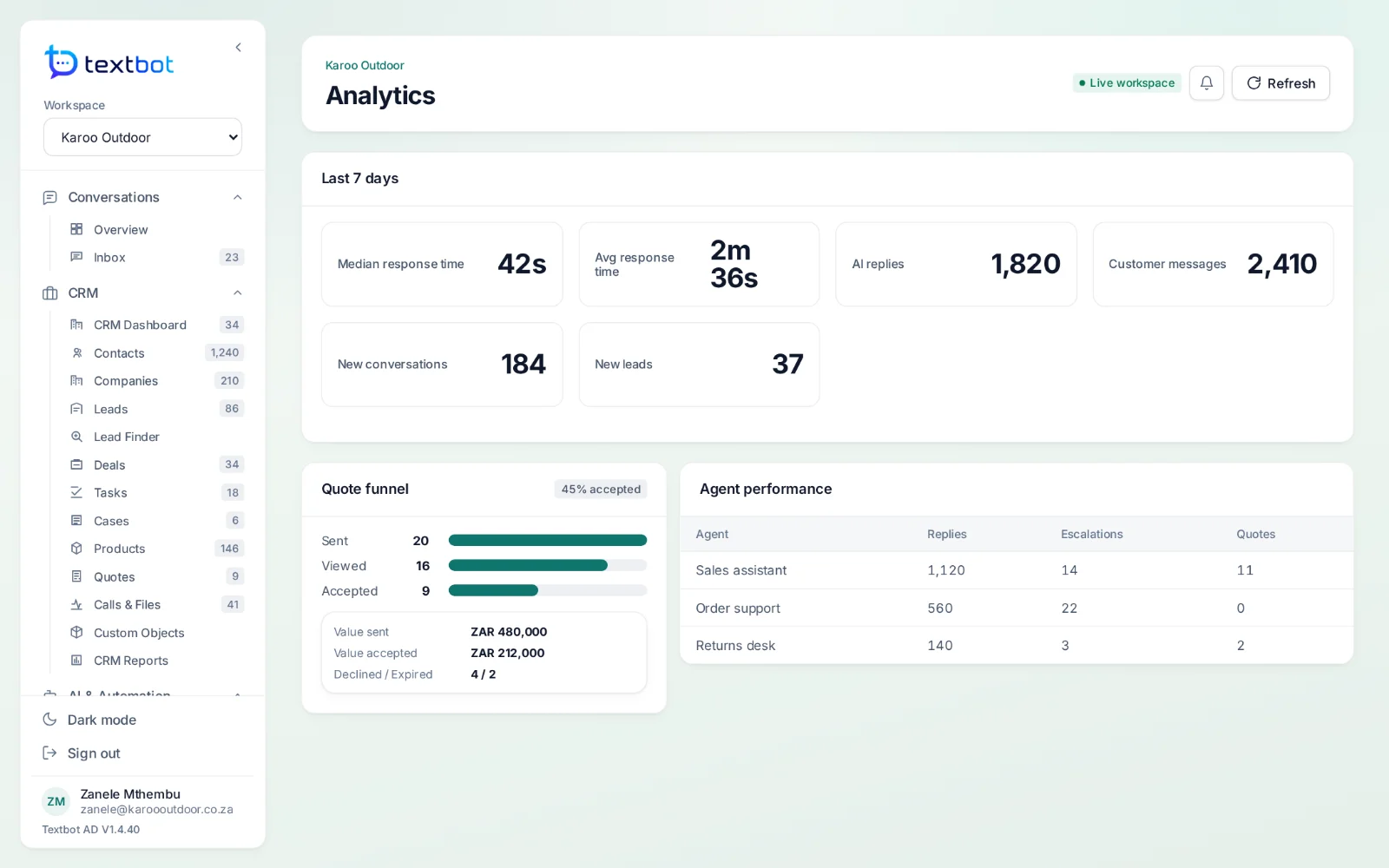
The numbers that matter to an inbox.
Dashboards
Conversations, AI replies, new leads and response time at the top; widgets you drag into place below.
Response time
The median and average time the AI takes to reply.
AI and team
How many replies came from the agents and how many from your team.
Quote funnel
Quotes sent, viewed, accepted and declined, and their value.
Agent performance
Replies, escalations and quotes for each AI agent.
Reports and exports
Saved views and CSV exports across conversations, deals and activity.
Dashboards
Arranged the way you run the day.
Pick the period, switch between dashboards, and drag the widgets into the order your team reads them. Light or dark.
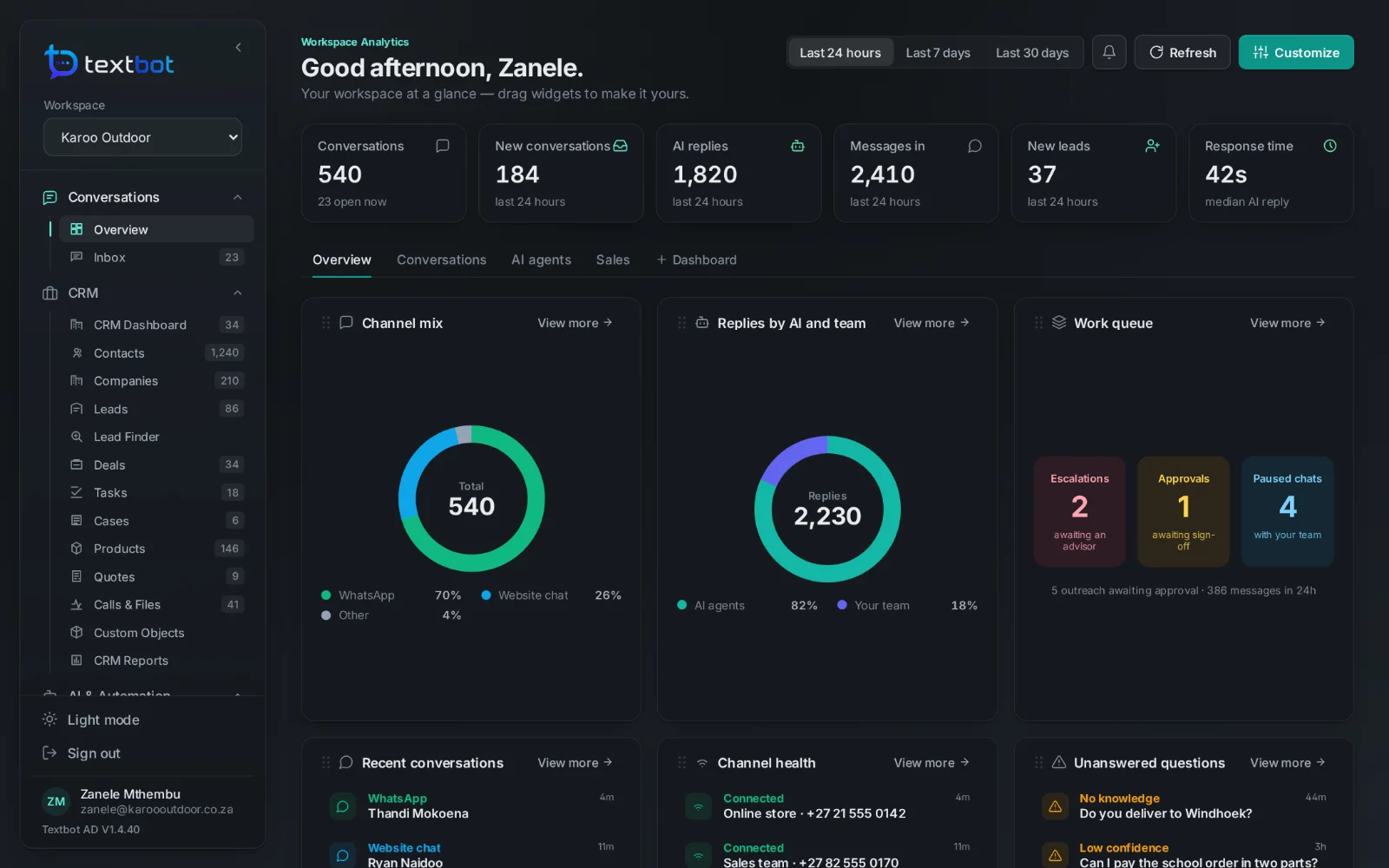
The health of every channel.
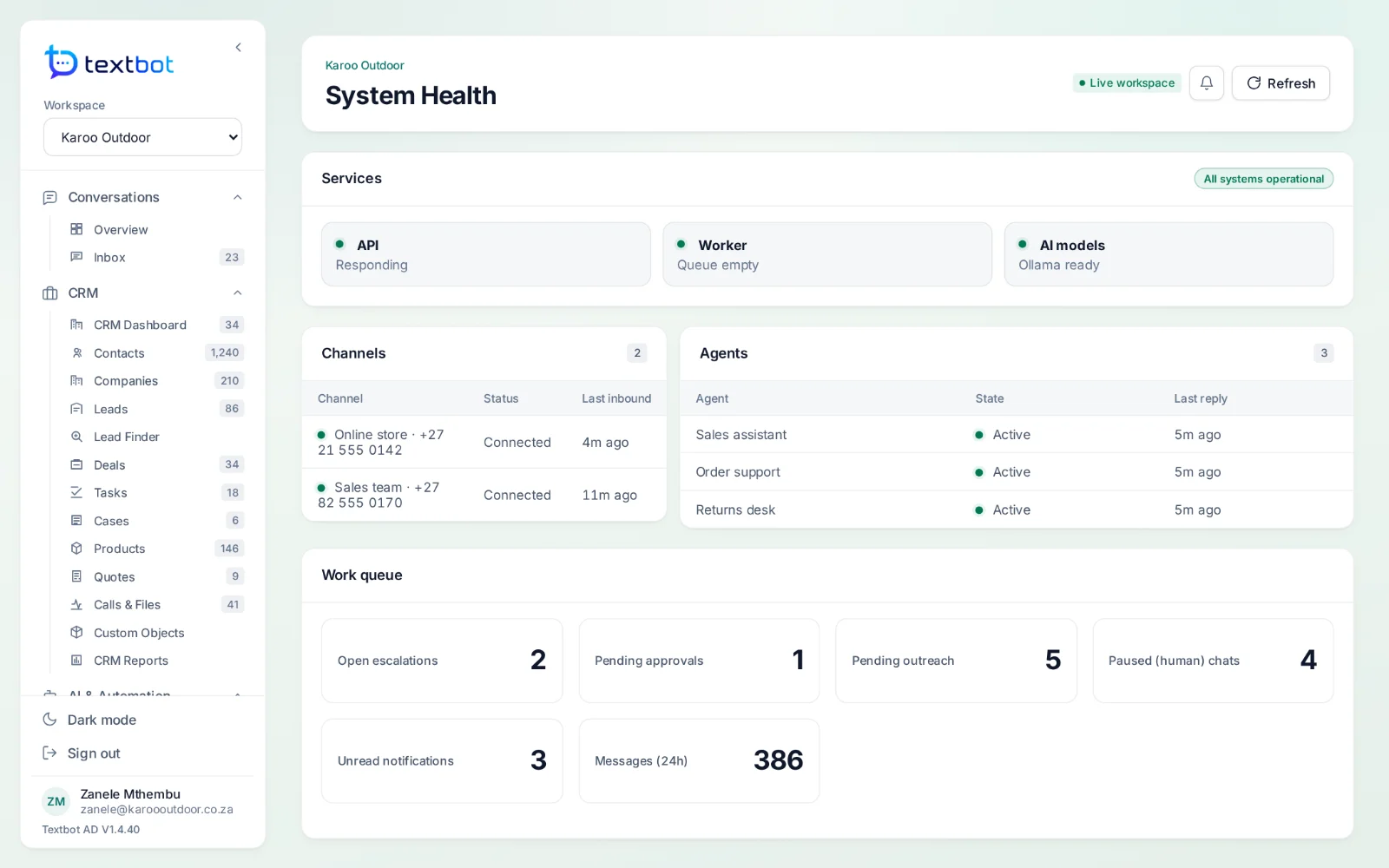
System health shows each number’s last webhook, the services behind AgentDesk, and the work waiting on your team — escalations, approvals, paused chats and outreach.
- Channel status and last webhook
- Queue depth and delivery failures
- Audit logs of who changed what, and when
Works with
Answer every conversation.
AgentDesk runs on the numbers you already have in TextBot, and signs you in with the same account.